
✧ Key takeaways
Choosing between Descript and Synthesia? Compare AI video editing, script-to-video generation, avatars, audio tools, pricing and workflows to find the right fit. Copy excerpt
| At a glance |  DescriptEditorial pick DescriptEditorial pick |  Synthesia Synthesia |
|---|---|---|
| Rating | 8.5/10 | 9.5/10 |
| Starting price | Starter - $16/month | Starter - $18/month |
| Pricing model | Freemium | Freemium |
| Free plan | No | No |
| Best for | Podcasters and YouTubers, Anyone producing talking-head video or ads | Corporate training and explainer videos, Teams needing fast, multilingual video content |
| Features | Transcript-based editing, Overdub AI voice, Screen recording, Studio Sound audio cleanup, Multi-track timeline | Text-to-video with AI avatars, 140+ languages, Custom avatar creation, Screen recording + video templates, API for bulk video generation |
| Visit provider | Visit Descript ↗ | Visit Synthesia ↗ |
How we evaluated
This comparison evaluates Descript and Synthesia across core use cases, editing and generation workflows, collaboration, pricing structure, usage limits, multilingual production and suitability for different teams. We reviewed publicly available vendor documentation and pricing information, prioritizing capabilities that affect a real purchasing decision. Pricing and feature entitlements should be verified against the current official plans. This is a documentation-based editorial comparison, not a claim of independent performance testing.
Testing period: October 2026 — Hands on review
Last tested: 2026-10-12
Descript vs Synthesia: Which AI Video Tool Is Worth Paying For?
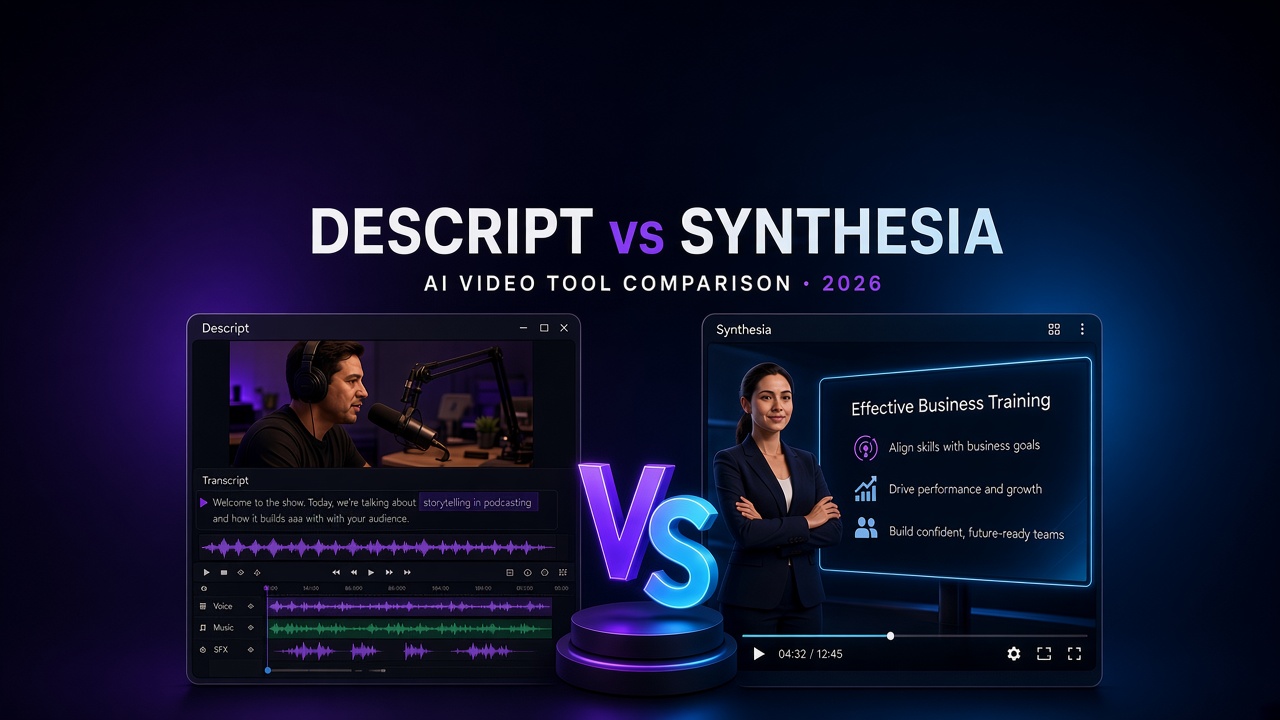
Choosing between Descript and Synthesia comes down to one question: Are you editing video you already have, or creating presenter-led videos without filming?
Descript is an AI-powered editor built around recorded video, audio, podcasts, interviews, screen recordings and other existing media. Synthesia takes a different approach: it turns scripts into presenter-led videos using AI avatars, synthetic voices and customizable scenes.
Both can help businesses produce video faster, but they solve different production problems. Choosing the wrong one could mean paying for features your team barely uses—or discovering that you still need another tool to finish the job.
Quick verdict: Choose Descript if you regularly record content and need to edit it efficiently. Choose Synthesia if you want to create training, onboarding, product education or internal communication videos from written scripts. If your workflow includes both, compare the editing requirements and total cost before deciding whether you need one platform or both.
Descript vs Synthesia: Quick Comparison
| Feature | Descript | Synthesia |
|---|---|---|
| Primary purpose | Editing recorded video and audio | Generating presenter-led AI videos |
| Best starting point | Existing recordings or a new recording | A script or written content |
| Text-based editing | Yes | Not its primary purpose |
| AI presenters | Available AI avatar capabilities | Core platform capability |
| Podcast production | Strong fit | Not its primary focus |
| Screen recordings and demos | Strong fit | Better suited to scripted explanations |
| Training videos | Edit real recordings and demonstrations | Generate consistent presenter-led lessons |
| AI voice capabilities | Speech generation and voice tools | AI voices and multilingual narration |
| Multilingual production | Depends on the specific feature and plan | Multilingual video and dubbing capabilities |
| Best for | Creators, podcasters and video teams | L&D teams, businesses and training creators |
| Pricing model | Primarily per user, with plan limits | Subscription tiers with usage and feature limits |
Feature availability and usage limits vary by plan. Check each vendor's current pricing and feature documentation before subscribing.
What Is the Difference Between Descript and Synthesia?
The biggest difference is the starting point of your workflow.
Descript is designed to help you work with media. You can record a conversation, import footage, edit a transcript, improve audio, remove unwanted sections and turn long recordings into shorter content. Its text-based editing approach makes it particularly useful when editing spoken content.
Synthesia is designed to help you generate video from a script. You choose a presenter or avatar, prepare the script, arrange scenes and create a video with AI-generated speech. It is particularly relevant when a company needs repeatable training or communication content without organizing a filming session for every update.
Think of it this way:
Descript: You have footage, audio or a recording that needs to become a polished video.
Synthesia: You have a message that needs to become a presenter-led video.
This distinction matters more than the number of AI features each platform advertises.
Descript: Where It Has the Advantage
Descript makes the most sense when your team already creates or records content.
1. Edit spoken content through text
Descript's transcript-based workflow lets you edit spoken recordings by editing their text. For interviews, podcasts, tutorials and talking-head videos, this can be faster than navigating a conventional timeline for every small correction.
It is especially useful when you need to remove mistakes, tighten an explanation or rearrange spoken material.
2. Produce podcasts and repurpose recordings
A single recording can become several assets: a full-length video, an audio episode, short clips, social media content or a written transcript.
This makes Descript attractive to creators and small marketing teams that need to get more value from every recording.
3. Improve audio and spoken delivery
Descript provides AI-assisted tools for tasks such as reducing unwanted background noise, removing filler words and working with speech. The precise capabilities and limits depend on your subscription.
These features can reduce editing time, particularly for content recorded outside a professional studio.
4. Work with existing footage
If your team produces software demonstrations, webinars, interviews, product walkthroughs or customer testimonials, Descript fits naturally into that process.
You can refine the actual footage rather than generating an entirely synthetic presenter video.
Where Descript falls short
Descript is not automatically the best choice for someone who wants to generate a polished presenter-led lesson from a written script without recording footage.
It also requires you to pay attention to editing decisions, source material and final quality. AI assistance can accelerate the work, but it does not eliminate the need to review the finished video.
Descript is the better fit when the recorded material itself is the core of your content.
Synthesia: Where It Has the Advantage
Synthesia is built for teams that want to produce video without relying on traditional filming for every project.
1. Turn scripts into presenter-led videos
You can start with a script, select an AI presenter, arrange scenes and generate a narrated video. This is useful when the message is known in advance and consistency matters more than capturing a spontaneous conversation.
Examples include employee onboarding, compliance training, product explanations and internal announcements.
2. Create consistent training content
Businesses frequently need to update policies, explain processes or introduce new products. Synthesia can help standardize the presentation style across a library of training videos.
When a script changes, a team can revise and regenerate the relevant content rather than arranging another filming session.
3. Support multilingual video production
Synthesia supports AI-generated video and dubbing workflows across multiple languages. This can help businesses adapt training and communication for international teams.
Language availability, voice quality and plan limits should be checked for the specific languages you need. Always review pronunciation, terminology and cultural context before publishing.
4. Reduce the need for repeated filming
A presenter-led video can be useful when the speaker does not need to appear on camera. Teams can focus on scripting, instructional structure and visual organization rather than coordinating cameras, microphones and filming schedules.
Where Synthesia falls short
AI presenters are not a substitute for every type of video.
Customer interviews, real-world product demonstrations, personal vlogs, documentary footage and spontaneous creator content may benefit more from genuine recorded material.
Synthesia also has plan-specific generation limits, and AI-generated speech or visuals may need review before they are suitable for external publication.
Synthesia is the better fit when the script is the starting point and repeatable presenter-led production is the goal.
Descript vs Synthesia Pricing
Pricing should be evaluated alongside the work each product can replace.
Descript's costs depend on the selected plan and number of users. Synthesia's plans use different feature entitlements and video-generation allowances. Comparing headline prices without considering usage can produce a misleading result.
| Pricing consideration | Descript | Synthesia |
|---|---|---|
| Entry-level access | Free option available; paid plans unlock additional capabilities | Free Basic option available; paid plans unlock additional capabilities |
| Paid plan structure | Subscription tiers with per-user pricing | Subscription tiers with plan-specific usage limits |
| Important cost driver | Number of editors, AI usage and media requirements | Video credits, generation requirements and collaboration needs |
| Potential cost advantage | Teams that regularly edit recordings | Teams that repeatedly generate scripted presenter videos |
| Before upgrading | Check media hours, AI credits and export requirements | Check video minutes or credits, avatar access and editor limits |
Prices and included allowances can change. Consult the official pricing pages for the latest terms:
Which tool offers better value?
Descript may offer better value when it replaces a significant amount of manual editing work. If your team produces podcasts, webinars and recorded demonstrations every week, the time saved across repeated editing tasks can justify the subscription.
Synthesia may offer better value when your team needs a repeatable process for producing training or informational videos. The value comes from generating consistent content without arranging a new recording for every update.
Neither product is automatically cheaper for every workflow. Calculate your expected monthly output, number of editors and required features before choosing a plan.
Which Tool Is Better for Your Use Case?
Choose Descript if you:
Produce podcasts, interviews or talking-head videos.
Need to edit existing recordings.
Want to remove mistakes and tighten spoken content.
Create screen recordings, software demos or tutorial videos.
Repurpose long recordings into shorter content.
Need a workflow centered on editing audio and video.
Choose Synthesia if you:
Create employee onboarding or training videos.
Need presenter-led videos from scripts.
Produce product education and internal communications.
Need to adapt video content for different languages.
Want a repeatable production process without filming every presentation.
Maintain a large library of instructional videos.
Consider both if you:
Generate scripted training videos but also edit real demonstrations.
Produce AI presenter videos and conventional recorded content.
Need different production workflows for separate teams.
Before paying for both, test whether one platform can handle enough of your actual workload to justify the additional subscription.
Ease of Use: Which Is Easier to Learn?
Neither tool requires the same workflow as a traditional professional editing suite, but their learning curves differ.
Descript is intuitive for people who are comfortable working with text and recorded content. Editing a transcript can be more approachable than manually navigating a complex video timeline. However, producing polished content still requires attention to pacing, audio, visuals and transitions.
Synthesia is straightforward when the script is ready and the goal is a structured presenter-led video. The main work shifts toward script writing, scene design, visual selection and quality assurance.
The easiest tool is therefore the one that matches your existing process. A podcaster may find Descript more natural, while an HR professional producing standardized training videos may prefer Synthesia.
Video Quality and Creative Control
Both products can produce useful business content, but the type of quality you need determines the better choice.
Descript is suited to content where the source footage, real speaker, recorded demonstration or original audio matters. The quality of the finished product depends partly on the source recording and the editing decisions.
Synthesia is suited to content where clarity, consistency and scripted delivery are priorities. Its AI presenters can provide a consistent on-screen presence, but generated visuals and voices should be reviewed for realism, pronunciation and suitability for the audience.
For social videos built around real experiences, interviews or authentic demonstrations, Descript may be the more natural fit. For standardized internal communications and repeatable instructional videos, Synthesia may be more efficient.
Descript vs Synthesia for Businesses
For a marketing team, the decision depends on how the company produces content.
A team that records customer interviews, product walkthroughs, podcasts and webinars will usually benefit more from Descript. It helps turn recorded material into polished assets that can be distributed across channels.
An HR, learning and development or customer education team may prefer Synthesia when the priority is consistent scripted training at scale.
For example, imagine a software company preparing two projects:
Project A: Edit a 45-minute customer interview into a 10-minute case study and several short clips. Descript is the more natural choice.
Project B: Create a set of onboarding lessons from approved scripts for employees in several countries. Synthesia is the more natural choice.
These examples illustrate the workflow differences; they are not claims of measured performance benchmarks.
Limitations You Should Consider Before Buying
Before subscribing to either platform, check the following:
For Descript
Whether your required editing and audio features are included in the selected plan.
How much media processing and AI usage your expected workload requires.
Whether all collaborators need paid editor seats.
Whether the export quality and formats meet your publishing requirements.
For Synthesia
How many video-generation credits or minutes your plan includes.
Which avatars, voices, languages and personalization features are available.
Whether you need additional editors or enterprise-level controls.
Whether the output looks appropriate for your brand and audience.
For both platforms, confirm commercial-use rights, data-handling requirements and any restrictions relevant to your organization's content.
Final Verdict: Descript or Synthesia?
Descript wins for editing recorded content. Synthesia wins for generating scripted presenter-led videos.
Neither is a universal replacement for the other.
If you are a creator, podcaster, educator or marketer who records content and needs to edit it efficiently, start with Descript. If you are producing repeatable business training, onboarding or instructional videos from scripts, start with Synthesia.
If you are still unsure, test both on the same realistic project: choose one actual video you need to produce, record the time required, evaluate the output and calculate the cost at your expected monthly volume.
That will give you a more useful answer than choosing based on feature counts alone.
Try the platform that matches your workflow
Need to edit recordings? Explore Descript's editing tools and available plans.
Need to generate presenter-led videos? Explore Synthesia's AI video creation platform.
Choose the tool that solves your actual production problem—not the one with the longest feature list.
Frequently Asked Questions
Is Descript better than Synthesia?
Descript is generally the better fit for editing recorded video, podcasts, interviews and screen recordings. Synthesia is generally the better fit for generating presenter-led videos from scripts. The right choice depends on the type of content you produce.
Can Descript create AI videos?
Descript includes AI-assisted video editing and AI-powered creation capabilities. Its primary strength is working with recorded media and editing it efficiently. Check the current feature list for the specific AI generation or avatar capabilities you need.
Can Synthesia edit existing videos?
Synthesia's main focus is generating and managing AI presenter-led videos, rather than providing the same transcript-based editing workflow as Descript. If you need detailed editing of existing footage, assess whether Synthesia's current features meet those requirements or whether a separate editor is needed.
Which is better for YouTube videos?
Descript is often a stronger starting point for YouTube videos built around recorded footage, interviews, tutorials and podcasts. Synthesia can be a better fit for scripted educational videos with AI presenters. The format and audience matter more than the platform name.
Which is better for employee training?
Synthesia is particularly well suited to scripted presenter-led training and onboarding content. Descript is useful when training depends on recorded demonstrations, real speakers or edited screen recordings.
Which is cheaper: Descript or Synthesia?
There is no universal winner. Pricing structures, included usage and team requirements differ. Compare the current plan prices against your expected number of videos, editing workload and number of users.
Can I use Descript and Synthesia together?
Yes, potentially. A team might generate presenter-led content in Synthesia and use a separate editor for other recorded material. Before adopting both subscriptions, verify your workflow and whether either platform can cover enough of your needs independently.
Do Descript and Synthesia offer free plans?
Both offer free access options, but the available features and usage allowances differ. Check their official pricing pages for current restrictions before committing to a paid plan.
Which is better for multilingual videos?
Synthesia is designed for AI-generated multilingual video and dubbing workflows. Descript also offers speech and audio capabilities, but you should compare the specific languages, voice features and plan limits required for your project.
Should a small business pay for either tool?
A small business should start with its most frequent video task. If editing recordings consumes the most time, trial Descript. If creating repeatable presenter-led videos is the bottleneck, trial Synthesia. Upgrade only when the paid features deliver enough value to justify the cost.
Explore partner offers
Check the provider’s current pricing, availability and terms before buying.