
✧ Key takeaways
Synthesia Review 2026: Can this AI video platform really replace cameras, studios, and actors? We break down its features, pricing, limits, and who should buy it.
How we evaluated
We evaluate Synthesia around the video-production tasks users actually care about: AI avatar video creation, script-to-video generation, AI voices, presentations and document-to-video workflows, dubbing and translation, screen recording, interactive video, collaboration, customization, ease of use, pricing, usage limits, and overall value. The review focuses on whether Synthesia can realistically reduce the time and resources required to create professional business, educational, training, marketing, and communication videos. Current product capabilities and pricing are checked against Synthesia's official website and documentation before publication.
Testing period: SaaSNivo Editorial Review — October 2026
Last tested: 2026-10-07
Synthesia Review 2026: Is This the Easiest Way to Make Professional Videos?
Making a professional video sounds simple until you actually have to make one.
You need a script. Someone has to present it. You need decent lighting, audio, editing, graphics, subtitles, and probably several takes before the final version is usable.
- Synthesia takes a different route.
You provide the content, choose an AI presenter, customize the video, and let the platform handle much of the production.
So the real question in this Synthesia Review 2026 isn't whether AI can generate a video.
- It can.
The better question is:
Can Synthesia make professional video production easy enough that businesses will actually use it regularly?
- For the right audience, I think the answer is yes.
What Is Synthesia?
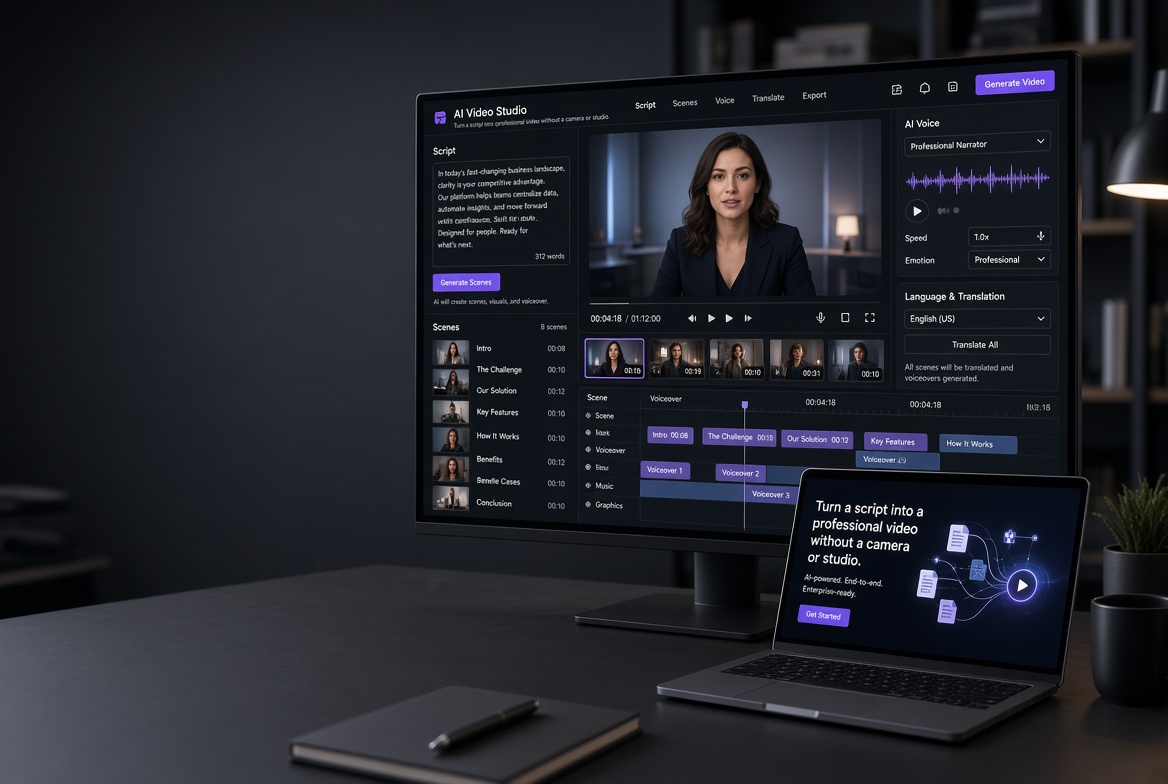
Synthesia is an AI video platform built around AI presenters, voices, and automated video production.
Instead of recording yourself or hiring someone to present a video, you can create a presenter-led video using an AI avatar.
You can start from a script and use Synthesia's tools to build the video around it.
The platform also goes beyond simple text-to-video generation. Its current feature set includes AI voices, dubbing, screen recording, interactive video, collaboration, analytics, and tools for turning documents and presentations into video content.
That makes it much more interesting for businesses than a simple AI video generator.
The Biggest Reason to Use Synthesia
Here's where Synthesia makes the most sense.
You need videos repeatedly.
If you only want to make one promotional video, paying for an AI video platform may not be particularly compelling.
But imagine you're a company producing:
Employee training videos
Product tutorials
Sales presentations
Customer onboarding
Internal announcements
Educational lessons
Marketing explainers
Software demonstrations
Suddenly, traditional video production becomes expensive and slow.
Synthesia changes that equation.
You can create a video without scheduling a shoot, finding a presenter, setting up a studio, or recording another take because someone made a mistake.
That's the real value.
AI Avatars Make the Production Much Easier
Synthesia's AI avatars are the centerpiece of the platform.
You choose a presenter, write or import your script, and customize the scene.
The result is designed to look like a presenter-led video rather than a slideshow with robotic narration.
Synthesia currently advertises more than 140 languages for AI avatars and voiceovers, making multilingual production another major use case.
This is particularly useful for organizations that need the same training or communication content adapted for different markets.
You Can Start With More Than Just a Blank Script
One of Synthesia's more useful features is its ability to help turn existing content into video.
That can include documents, presentations, websites, or an initial idea.
Instead of starting from an empty video editor, you can use your existing material as the foundation for a new video.
For businesses, this is important.
A company may already have a PowerPoint presentation or training document.
Turning that material into a presenter-led video can be much easier than rebuilding everything from scratch.
Dubbing and Translation Make the Platform More Interesting
Multilingual video production can become painful very quickly.
You need translations, new voiceovers, timing adjustments, subtitles, and potentially new presenters.
Synthesia's dubbing and translation tools are designed to simplify that process.
The platform currently supports AI dubbing and advertises broad multilingual capabilities, including one-click translation features on higher-tier offerings.
If you're creating content for an international audience, this can become one of the strongest reasons to pay for Synthesia.
It's Not Just About AI Presenters
Another reason I wouldn't describe Synthesia as simply an "AI avatar generator" is the broader production workflow.
The platform includes:
AI video creation
AI avatars
AI voices
AI dubbing
Screen recording
Interactive videos
Collaboration
Video analytics
Captions
Embedding and sharing
Presentation and document-based workflows
Interactive videos can also include quizzes, calls to action, and branching scenarios, which makes Synthesia particularly interesting for training and educational content.
That's where the platform starts looking more like a video-production system than a novelty AI tool.
Synthesia Pricing
Synthesia's pricing changed in October 2026, so older reviews can be misleading.
The current self-serve structure includes Basic, Starter, Pro, and larger Pro tiers, with Enterprise available for organizations. The former Creator plan was renamed Pro on October 1, 2026.
| Plan | Current pricing | Best for |
|---|---|---|
| Basic | Free | Trying Synthesia |
| Starter | $29/mo monthly | Individuals getting started |
| Pro | $89/mo monthly | Serious creators and small teams |
| Pro 2×–8× | Scaled pricing | Heavy production |
| Enterprise | Custom | Large organizations |
Annual billing currently reduces the effective monthly cost. Synthesia lists Starter at $18/month when billed annually and Pro at $64/month when billed annually on its pricing page.
There's another important change in 2026: Synthesia now uses a shared credit system across usage-based features.
Every self-serve plan includes a monthly allowance of video, survey responses, and credits, while paid plans add additional credits.
For example, the current documentation lists:
Basic: 500 credits/month
Starter: 1,750 credits/month
Pro: 6,500 credits/month
Pro 2×: 12,500 credits/month
Larger Pro tiers scale from there.
That means you shouldn't judge Synthesia purely by the headline monthly price.
Your actual video-production volume matters.
Which Synthesia Plan Should You Buy?
Buy Basic if:
You want to test the platform.
It's free, so there's little reason not to start here.
Buy Starter if:
You're an individual creator.
You regularly create videos.
You need downloadable videos.
You want AI dubbing.
You want to remove the Synthesia watermark.
You need more production capacity.
For many first-time paid users, Starter is the sensible starting point.
Buy Pro if:
Video production is a serious part of your workflow.
You need personal avatars.
You need more credits.
You want interactive videos.
You need API access.
You're working with a small team.
Choose Enterprise if:
You're a large organization.
You need extensive collaboration.
You need advanced security and SSO.
You need large-scale video production.
You need enterprise onboarding and support.
Don't jump straight to Pro or Enterprise just because the feature list looks impressive.
Start with the amount of video you actually need.
Where Synthesia Isn't Perfect
Here's the important limitation.
AI presenters are not the right answer for every video.
If you're producing cinematic storytelling, emotional advertisements, entertainment content, or videos where a real person's personality is central to the experience, an AI avatar may feel too artificial.
And while Synthesia can dramatically simplify production, you still need to provide good source material.
A bad script doesn't become a good video simply because an AI presenter reads it.
That's probably the biggest mistake I'd avoid.
Synthesia reduces production friction. It doesn't replace good communication.
Is Synthesia Worth It in 2026?
Yes — if you're producing professional videos repeatedly.
That's the key.
Synthesia doesn't make much sense if you simply want to experiment with AI video once.
But if you're a business, educator, marketer, trainer, HR team, or content creator who needs professional presenter-led videos regularly, the economics start looking very different.
You aren't just buying AI avatars.
You're buying a way to reduce the production process.
- No camera setup.
- No studio.
- No actor scheduling.
- No repeated recording sessions.
- No need to rebuild the entire video every time the script changes.
And if you need multiple languages, the value can become even stronger.
My Buying Recommendation
Start with Basic if you're curious.
If you're creating videos regularly, Starter is the plan I'd look at first.
Move to Pro when your production volume or feature requirements justify it.
And if you're a larger organization creating training, communication, education, or customer-facing content at scale, Enterprise is where Synthesia becomes much more compelling.
The important thing is not to buy Synthesia because "AI video" sounds impressive.
Buy it because you have a recurring video-production problem.
If your team needs to turn scripts, presentations, documents, or ideas into professional videos again and again, Synthesia can make that workflow dramatically simpler.
That's where it earns its price.
Try Synthesia →
Try Synthesia →-----------
Disclosure: SaaSNivo may earn a commission if you purchase Synthesia through our affiliate link, at no additional cost to you. Our recommendations are based on the product's features, value, and suitability for different users.
Featured in this article
 Freemium
Synthesia
FreemiumSynthesia generates presenter-style videos from a script using AI avatars in 140+ languages.