
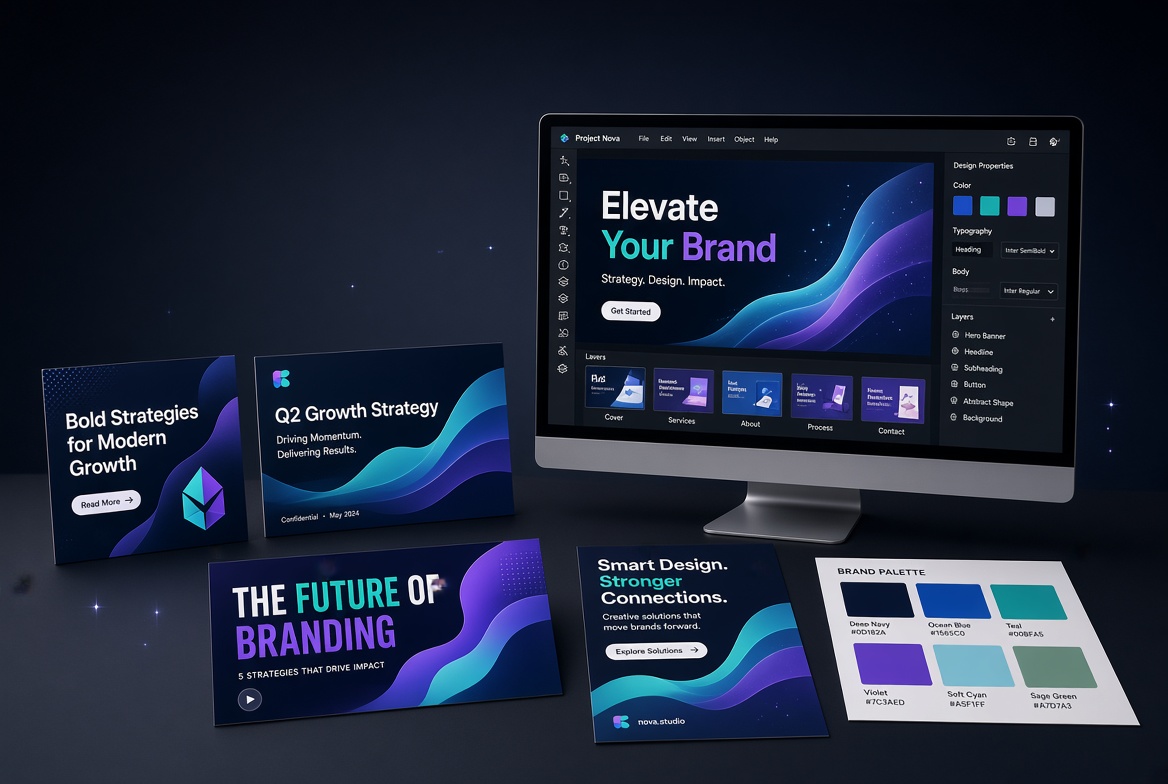
✧ Key takeaways
Need professional-looking content without complicated design software? Our Canva review explores the templates, AI tools, premium assets, and brand features that make Canva attractive to creators and businesses. Discover what you can do for free, when Canva Pro is worth paying for, and whether Canva fits your workflow.
Canva is a strong choice for people who need polished graphics, presentations, and marketing content without a steep learning curve. Its templates, accessible editor, and AI-assisted features make everyday design work easier, while the free plan gives beginners a low-risk starting point. Canva Pro makes more sense for frequent creators who rely on premium assets, brand tools, and advanced features. For complex professional editing, however, a specialist creative application may offer more control.
How we evaluated
This review assesses Canva's published features, subscription options, AI capabilities, and intended use cases. It considers usability, content-production flexibility, value for different user types, and limitations compared with specialist creative software. Pricing and feature claims should be checked against Canva's official documentation before publication.
Testing period: October 2026
Last tested: 2026-10-16
Canva Review: Is Canva Pro Worth It?
You don't need to be a professional designer to create a good-looking presentation, social media post, thumbnail, or marketing graphic. That's the idea behind Canva—and it's why the platform has become a popular option for creators, small businesses, marketers, educators, and people who simply want their content to look better.
Canva brings templates, design tools, stock assets, collaboration features, and AI-assisted creation into one accessible workspace. Instead of starting with a blank canvas and learning a complicated design program, you can choose a template, replace the content, adjust the layout, and create something ready to share.
But there's a difference between a tool that's easy to start using and one that's worth paying for.
In this Canva review, we'll look at what you can create, how the free and paid plans differ, what Canva's AI tools offer, and where the platform may fall short. The goal is simple: help you decide whether Canva fits your workflow before you spend money on it.
What Is Canva?
Canva is an online visual design platform for creating graphics, presentations, documents, videos, and other digital content. It combines a drag-and-drop editor with templates, design elements, media assets, and tools for editing and sharing finished work.
You can use it for everyday tasks such as designing an Instagram post, preparing a YouTube thumbnail, building a pitch deck, creating a flyer, or putting together branded marketing materials.
Canva is particularly useful when speed and accessibility matter. You don't have to master advanced design software to produce a polished first draft, and you can customize templates to fit your message, colors, images, and brand.
It isn't a replacement for every professional creative application. Instead, Canva focuses on making a wide range of common design tasks easier to complete.
What Can You Create With Canva?
Social media graphics and marketing content
Canva provides templates and editing tools for social media posts, stories, ads, banners, thumbnails, and promotional graphics. This makes it useful for creators and businesses that need to publish visual content regularly.
You can reuse layouts, change the text and imagery, and adapt designs for different channels. That can save time when preparing a campaign with several related assets.
The trade-off is that templates are starting points, not guarantees of originality. If you use a popular layout without meaningful customization, your content may look similar to other designs online.
Presentations and business documents
Canva supports presentations, reports, proposals, resumes, worksheets, and other document formats. Templates can help you establish a consistent visual style without spending hours arranging every element.
For a small business, that can mean producing a sales presentation or company profile without hiring a designer for every document.
However, projects that depend on highly specialized layouts, advanced publishing controls, or complex document workflows may require a dedicated tool.
Videos and visual content
Canva also includes video creation and editing features. You can combine clips, images, text, animations, and audio to make short promotional videos, social media content, and presentations with motion.
It's useful when the goal is to create straightforward visual content without building an advanced editing workflow from scratch.
For complex timelines, sophisticated visual effects, or detailed professional post-production, a dedicated video editor may offer more control.
Websites and other creative assets
Depending on the features available to your account, Canva can also help you create simple websites, visual documents, educational resources, and other branded materials.
Its appeal is breadth: one workspace can support many everyday creative tasks. That convenience is most valuable when you actually use several of those formats.
Canva's Main Features
Templates and drag-and-drop editing
Templates make Canva approachable for beginners. You can start with a design suited to your task, replace its content, adjust the layout, and customize colors, fonts, images, and other elements.
The editor reduces much of the friction involved in creating a design from scratch. Still, the quality of the result depends on your choices. A template can help with structure, but thoughtful typography, spacing, contrast, and messaging still matter.
Brand consistency with Brand Kit
Canva's Brand Kit features help eligible users organize brand colors, fonts, and other visual assets. This can be valuable for businesses that produce many graphics and want them to look consistent.
If several people create content for the same company, shared brand resources can reduce the risk of every post using a different style.
Check the plan details before subscribing, since brand-management capabilities and limits vary by subscription.
Collaboration and sharing
Canva supports sharing and collaboration workflows, making it easier to review designs, collect feedback, and work with other people.
For a marketing team, this can help keep content creation moving without sending multiple versions of the same file back and forth. Available permissions and team-management features depend on the account and plan.
Media assets and design elements
Canva offers a library of templates, photos, illustrations, graphics, and other assets. Paid plans provide access to additional premium content and features.
The main advantage is convenience: you can often find assets and build the design in the same place. Before using an asset commercially, review its licensing terms and any relevant restrictions.
Canva AI: What Does It Actually Help With?
Canva's AI capabilities bring assisted writing, design generation, image creation, and editing into the creative workflow. The available tools and usage allowances depend on the feature and subscription.
Generate a first draft faster
AI-assisted design tools can help turn an idea or prompt into an initial layout or visual concept. This is useful when you know what you want to communicate but don't know how to structure the design.
The first output should be treated as a draft. You may still need to correct text, improve the layout, replace unsuitable imagery, and make sure the design reflects your brand.
Write and refine content
Canva's AI writing tools can help with early drafts, headlines, summaries, and other short-form copy. They can be useful when you're preparing presentation text or promotional content alongside a design.
Generated copy should still be checked for factual accuracy, tone, repetition, and originality. AI-generated text is a starting point, not a substitute for editorial review.
Create and edit visual assets
Supported AI features can help generate imagery or modify selected parts of a design. Depending on the tool, you may be able to experiment with visual concepts, adapt existing assets, or make edits using text prompts.
Results vary. Inspect generated images carefully for awkward details, inaccurate representations, or visual inconsistencies before publishing.
Understand the limits of Canva AI
Not every AI feature is included in every plan, and some features have usage limits or depend on separate entitlements. Availability can also change as Canva updates its tools.
If AI is the main reason you're considering a paid plan, compare the exact features and allowances available to your account. Don't upgrade based solely on a general promise of unlimited AI creation.
Canva Free vs Canva Pro
Canva Free is a reasonable place to start if you create occasional graphics, presentations, or personal projects. It lets you explore the editor and determine whether the workflow suits you before paying.
Canva Pro is aimed at people who create content more regularly and want additional premium assets, design features, and AI capabilities. Features such as background removal, resizing tools, and Brand Kit functionality can be especially useful when they are part of your normal workflow.
Here's a practical way to decide:
Choose Canva Free if:
You create designs occasionally.
The free templates and assets meet your needs.
You don't need the premium features offered by paid plans.
You're still learning whether Canva fits your workflow.
Consider Canva Pro if:
You create social media or marketing content frequently.
You regularly need premium assets or paid editing features.
You want to maintain consistent brand colors and fonts.
The time saved by its additional tools justifies the subscription.
The key question isn't whether Pro has more features. It is whether those features solve problems you encounter often enough to be worth paying for.
Canva Pricing: Is the Paid Plan Worth It?
Canva offers a free plan alongside paid subscriptions. Pricing and plan names can vary by country, billing period, promotions, and product changes.
At the time of this review, Canva's official US pricing page lists Canva Pro at US$144 per year for one person on its annual billing option. Treat that as a reference price rather than a guaranteed price for your region. Check Canva's official pricing page for the current monthly and annual options available to you.
Before upgrading, consider how often you'll use premium templates, assets, AI features, and brand tools. If you create only a few graphics each month, the free plan may be sufficient. If Canva is part of your weekly marketing workflow, the time saved and additional capabilities may make Pro worthwhile.
Also check whether the price shown is monthly or annual billing, when renewal occurs, what happens when a promotion ends, and which features are included in your chosen plan.
The Pros of Canva
Easy to learn. The editor and templates make common design tasks approachable, even if you have little design experience.
Useful for many content formats. You can create social graphics, presentations, documents, videos, and other visual assets in one place.
Templates speed up production. Starting from a suitable layout can save time on routine design work.
Helpful AI-assisted features. Supported tools can speed up drafting, design exploration, and selected editing tasks.
Convenient collaboration. Sharing and feedback features can help individuals and teams manage visual content.
A free plan is available. You can try the core workflow before deciding whether a paid subscription is necessary.
The Cons of Canva
Advanced control is limited compared with specialist tools. Complex image manipulation, precision vector work, and advanced video production may be better handled in dedicated applications.
Templates can make designs look repetitive. Strong results still require customization and attention to design fundamentals.
Premium features require careful plan selection. Some assets and tools are restricted to paid subscriptions or have specific usage limits.
AI output needs review. Generated images and copy can contain mistakes or produce results that don't fit the brief.
Costs can add up. A paid plan is worthwhile only when its additional features provide enough value for your workflow.
Is Canva Good for Beginners?
Yes. Canva is particularly approachable for people who need to create attractive visual content without learning a professional design application first.
Templates help with layout, the editor makes it easy to move and customize elements, and the variety of design formats means you can use the same basic workflow for several tasks.
Beginners should still learn the basics of typography, spacing, contrast, and visual hierarchy. Those skills make a bigger difference to the finished design than simply choosing a premium template.
Who Should Use Canva?
Canva is a strong option for:
Small business owners creating their own marketing materials.
Social media managers producing content on a regular schedule.
Content creators making thumbnails, graphics, and short videos.
Teachers and students preparing presentations and learning resources.
Freelancers who need quick, polished visual assets.
Teams that want a shared, accessible way to create branded content.
It may be less suitable for designers who depend on advanced image manipulation, precision vector editing, complex video effects, or specialized production workflows. Those users may benefit from combining Canva with dedicated creative software.
Is Canva Worth It?
Canva is worth considering if you want to create polished visual content without building every design from scratch. Its templates, accessible editor, variety of formats, collaboration tools, and AI-assisted features make it useful for everyday creative work.
Whether Canva Pro is worth paying for depends on how often you design and which premium features you need. If you create content occasionally, start with Free. If you publish regularly and rely on premium assets, brand tools, and time-saving features, Pro may offer better value.
Our verdict
Canva is a compelling option for creators, freelancers, marketers, and small businesses that need attractive visual content without a steep learning curve. Its broad range of design formats, accessible editing workflow, and AI-assisted tools make it useful for everyday creative work.
Our recommendation: Start with Canva Free. If you create content regularly and find yourself needing premium assets, brand tools, or additional features, evaluate Canva Pro against your actual workload. For advanced photo manipulation, precision vector work, or complex production, specialist creative software may still be the better fit.
Ready to create your next design? Explore Canva's available plans and choose the option that fits your workflow.
--------------------------------------------------------------------------------------Pros
- ✓ Easy-to-use drag-and-drop editor
- ✓ Templates for social media, presentations, documents, and videos
- ✓ AI-assisted design, writing, and image-editing features
- ✓ Brand Kit tools for maintaining visual consistency on eligible plans
- ✓ Collaboration and sharing features
- ✓ Free plan available
Cons
- × Less control than specialist tools for advanced creative work
- × Popular templates can produce repetitive-looking designs
- × Some useful assets and features require a paid plan
- × AI-generated content needs human review
- × Subscription value depends on how frequently you use premium features
Best for
Consider another tool if
- ✓ You need advanced professional photo manipulation
- ✓ Your workflow requires precision vector-editing controls
- ✓ You produce complex video projects with specialist requirements
- ✓ You rarely design and the free plan already meets your needs
Canva is a strong choice for people who need polished graphics, presentations, and marketing content without a steep learning curve. Its templates, accessible editor, and AI-assisted features make everyday design work easier, while the free plan gives beginners a low-risk starting point. Canva Pro makes more sense for frequent creators who rely on premium assets, brand tools, and advanced features. For complex professional editing, however, a specialist creative application may offer more control.
Explore partner offers
Check the provider’s current pricing, availability and terms before buying.
Featured in this review
 Freemium
Canva
FreemiumCanva : Discover how this all-in-one design platform helps you create graphics, videos, presentations, websites, and branded content with AI tools, ready-made templates, and easy collaboration.
Alternatives to consider
 Paid
PaidAdobe Creative Cloud
PaidAdobe Creative Cloud puts Photoshop, Illustrator, Premiere, and other professional creative tools under one subscription. Find out what's included, what it costs, and whether you'll use enough of its features to justify the price.