The renewal price is the real price: how to cost WordPress hosting properly
Shared hosting has one of the strangest pricing conventions in software. The number on the page is not the price. It is the price for the first contract term, after which it usually multiplies.
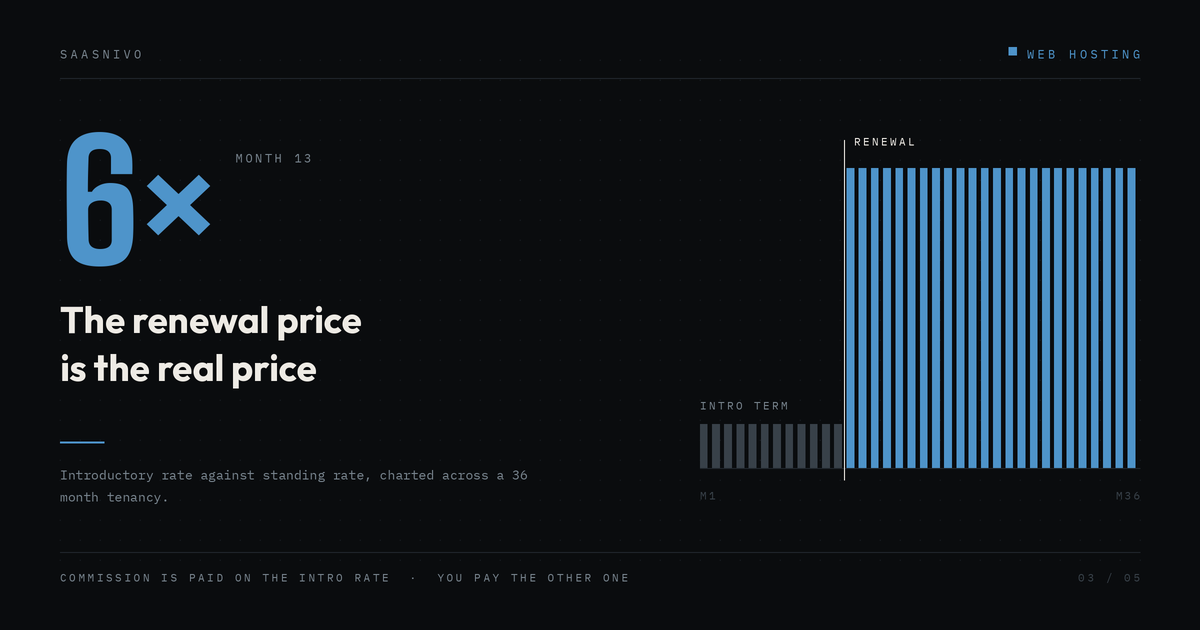
The gap is not small. SiteGround, to take the most-cited example, advertises its StartUp plan around $2.99 a month and renews it in the high teens. Various trackers put the renewal figure between roughly $15 and $18 depending on when and where they checked. Either way, the first-term rate is somewhere near a fifth of the standing rate. Bluehost and Hostinger run the same structure with a gentler slope.
None of this is hidden. It is written in the terms. It is just written somewhere other than the giant number people actually read.
So here is how to work out what you are really committing to.
The arithmetic
Take the three-year window, because that is roughly how long a site stays somewhere before the cost of moving starts to feel worse than the cost of staying.
Your three-year total is the first-term rate multiplied by the length of the first term, plus the renewal rate multiplied by the remaining months, plus everything in the next section. Write both numbers down side by side. A host at $2.99 renewing at $17.99 on a 12-month first term costs about $467 over three years. A host with a flat $11 a month and no introductory discount costs $396. The cheap one is more expensive, and it was more expensive from the moment you signed.
The comparison people usually make, $2.99 against $11, gets the ranking backwards.
The five line items that move the number
Start with the term, because the headline rate almost always requires the longest one, paid up front. A 48-month prepayment at $2.99 is not $2.99 a month. It is around $143 due today. That is a real cash-flow event for a small business, and it is money you cannot get back if the host disappoints you in month seven. Check what the same plan costs on a 12-month term, which is usually meaningfully higher.
Then the domain. Free for the first year is standard. Renewal at the registrar's list price is also standard, and hosting-company domain renewals are rarely competitive. Budget for it separately and keep the option to move the domain elsewhere.
Backups are where the plans diverge most quietly. Some include daily backups. Others sell them as an add-on, or include them but gate on-demand restores to a higher tier, which is a distinction that only becomes interesting on the worst day of your year. Cloudways, for example, bills offsite backup storage per gigabyte on top of the server price. Find out which model you bought before you need it.
Traffic limits fail in two different ways depending on the host. Managed hosts usually quote a monthly visit allowance and charge overages past it. Shared hosts more often quote unlimited traffic with a recommended maximum, enforced through CPU limits rather than an invoice. Neither is dishonest. One sends you a bill, the other sends you a slow site, and you should know which failure you signed up for.
Last, the cost of leaving. Free migration in is common. Migration out is your problem. If your host runs a proprietary control panel instead of cPanel, or bakes its caching into a required plugin, moving becomes a day of work rather than an hour. That friction is part of the price, and it is priced deliberately.
Two business models, not a spectrum
Once you look at the renewal column, hosts sort into two groups rather than a price ladder.
The introductory-discount hosts spend heavily to acquire you at a loss and make it back over years two through four. Hostinger, Bluehost and SiteGround all run this way. The model works fine if you understand it, and the first-year value is genuinely good.
The flat-rate hosts charge more on day one and the same amount in year three. Kinsta, Rocket.net, Cloudways and Nexcess sit here. You pay more up front and you are not budgeting around a cliff.
Which is better depends on something the review sites rarely ask about, which is how long you actually expect to keep the site. For a project with a defined end, a client trial, a campaign microsite, a business you are not sure will still exist in eighteen months, the introductory rate is the correct choice and you should take it without guilt. For anything you intend to still be running in 2030, the flat rate usually wins on total cost and always wins on predictability.
How to check before you buy
Do not read the pricing page. Read the terms.
Most hosts publish renewal rates in a legal or terms-of-service document, often linked in small text under the plan table or from the footer. Search that page for "renewal" or "regular price." That is the number that matters and it is the number written down in a form the company is accountable for.
Then do two more things. Check the refund window and what voids it, because a 30-day guarantee that excludes domain registration fees behaves differently to one that does not. And check whether the renewal rate applies per term or drifts upward between terms, since some hosts have raised standing rates on existing customers more than once.
A note on how this gets written about
Hosting is one of the highest-paying affiliate categories on the internet. Commissions are typically paid on the signup, which is to say on the introductory price, which means the entire incentive structure of hosting content rewards getting you to click through today and says nothing about what happens in month thirteen.
That is worth knowing when you read any hosting recommendation, this one included. We link to hosts and we earn from some of those links. What that should buy you is the renewal number in the same table as the intro number, so you can do the arithmetic yourself.
Prices quoted here were the advertised figures at the time of writing and change frequently, sometimes monthly. Check the vendor's current terms before you commit to anything.
---
**Sources and further reading**
- SiteGround plan terms and renewal pricing (verify current figures directly with the vendor): https://www.siteground.com/
- Patchstack, State of WordPress Security in 2026, on hosting-level defences blocking 26% of vulnerability attacks: https://patchstack.com/whitepaper/state-of-wordpress-security-in-2026/

 Paid
Paid Paid
Paid