
✧ Key takeaways
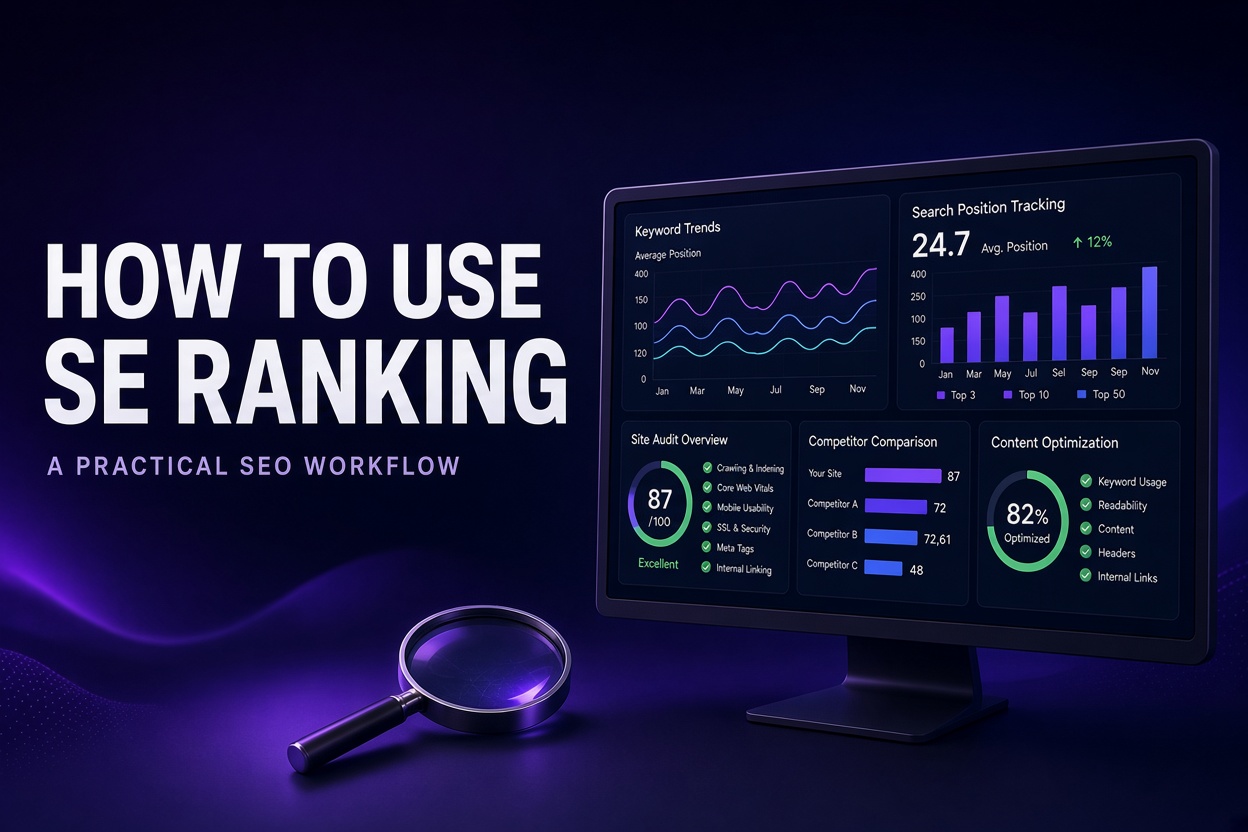
Learn how to use SE Ranking for keyword research, competitor analysis, rank tracking, website audits, content optimization, and SEO reporting—with a step-by-step workflow for improving your website.
How we evaluated
This guide is based on SE Ranking’s publicly available product documentation and help resources. It explains a practical SEO workflow using the platform’s documented capabilities. Feature availability, data limits, and subscription entitlements may vary by plan and can change. The article does not claim independent performance testing or guaranteed ranking results.
Testing period: October 2026
Last tested: 2026-10-15
How to Use SE Ranking: A Practical SEO Workflow
SEO can feel like a pile of disconnected tasks: researching keywords, checking rankings, fixing website errors, analyzing competitors, and updating old content. SE Ranking brings many of these activities into one SEO platform, helping you organize research, monitoring, optimization, and reporting around your website.
This guide explains how to use SE Ranking to build a practical SEO workflow. You’ll learn how to set up a project, find keyword opportunities, review competitors, monitor rankings, audit your site, optimize content, and turn the results into a prioritized action plan.
The goal isn’t to chase every metric or promise instant rankings. It’s to identify useful opportunities, make improvements, and measure what changes.
What is SE Ranking?
SE Ranking is an SEO platform designed for website owners, marketers, agencies, and in-house SEO teams. Its tools cover keyword research, rank tracking, competitor research, website audits, backlink analysis, content optimization, and reporting. The exact features and limits available to you depend on your subscription and add-ons.
It can help answer questions such as:
Which search terms are relevant to my business?
Which keywords and pages are competitors visible for?
Are my important pages gaining or losing search visibility?
What technical issues could affect crawling or user experience?
Which existing pages need better content or on-page optimization?
How can I communicate SEO progress to a client or team?
SE Ranking is a research and workflow tool—not a guarantee that a page will rank. Search performance also depends on the quality and relevance of your content, competition, website accessibility, and how search engines evaluate your pages.
Step 1: Create a project for your website
Start by adding the website you want to monitor as a project. Use the project setup options to define the website and the search settings that matter to your business.
Set up your tracking carefully
Before collecting data, decide:
Target search engine: Choose the search engine you want to monitor.
Location: Select the country, region, or city that matches your audience.
Language: Use the language your target customers search in.
Device: Track desktop, mobile, or both if your plan and setup allow it.
Keywords: Add a focused group of terms that represent your important pages and services.
Local and international SEO require different settings. For example, a business targeting customers in Dhaka should not assume that rankings measured in another country represent its local visibility.
If you use Google Search Console or Google Analytics, connect them where supported. These sources can provide first-party performance and traffic context alongside SE Ranking’s research and tracking data. Check the platform’s current integration instructions before connecting accounts.
Practical tip: Begin with your most important pages and a manageable keyword set. You can expand tracking after you understand what the first data reveals.
Step 2: Find keywords worth targeting
Keyword research helps you understand what your audience searches for and which topics your website could realistically serve.
In SE Ranking’s Keyword Research tools, enter a seed phrase related to your product, service, or topic. Review the keyword ideas and available metrics, then investigate terms that match your audience and content.
Evaluate keywords by intent—not just volume
For each candidate keyword, consider:
Search intent: Is the person trying to learn, compare options, find a specific brand, or make a purchase?
Relevance: Does the query fit your product, service, or expertise?
Competition: How difficult might it be for your site to earn visibility?
Business value: Could the search lead to a meaningful action, such as a signup, inquiry, or sale?
Content fit: Can you create a page that answers the query better than the pages currently serving it?
Search volume and difficulty estimates are useful directional signals, not precise predictions of traffic or ranking outcomes.
Group related keywords into page topics
Avoid creating a separate page for every slight variation of a phrase. Group related queries when they share the same search intent, then choose one primary phrase and a few natural supporting terms for the page.
For example, a guide about using an SEO platform could address related questions about setup, keyword research, rank tracking, and site audits—provided those topics fit the reader’s task.
Action: Build a shortlist of relevant keywords and map each one to an existing page or a planned piece of content. This helps prevent several pages from competing for the same search intent.
Step 3: Research competitors
Competitor research can reveal what topics other websites cover, which pages attract search visibility, and where your site may have content gaps.
Use SE Ranking’s competitive research features to examine a relevant competing domain. Focus on competitors that serve the same audience or search intent—not simply the biggest websites in your industry.
Look for:
Pages that appear to attract search traffic.
Relevant keywords you have not targeted.
Content formats that consistently serve the query.
Topics where competing pages provide useful information your page lacks.
Search results where your website already has some visibility.
Turn competitor findings into content opportunities
A competitor’s ranking does not automatically mean you should copy its page. Review the search results and ask what the user actually needs.
A useful content gap might be a missing tutorial, a clearer explanation, original examples, a more current process, or a better answer to a common question.
Action: Select a small number of relevant gaps. Prioritize topics that fit your expertise and business goals, rather than publishing a large volume of loosely related content.
Step 4: Track keyword rankings and visibility
Rank tracking helps you monitor how selected keywords perform over time in the search settings you configured.
Review the trend—not just a single position. Rankings can fluctuate because of competition, location, device, search changes, and normal data variation.
What to monitor
Keywords gaining or losing visibility.
Important pages whose rankings have changed.
Keywords where your page is close to stronger visibility.
Differences between mobile and desktop, if you track both.
Whether a content update is followed by a sustained improvement or decline.
A ranking increase is encouraging, but it does not automatically mean more qualified traffic or conversions. Where possible, compare ranking trends with impressions, clicks, engagement, and business outcomes from your analytics and search-performance data.
Action: Review your priority keywords on a regular schedule. Investigate meaningful changes, but avoid rewriting a page every time a ranking moves slightly.
Step 5: Run a website audit and prioritize technical issues
A website audit can help identify technical and on-page issues that deserve attention. Depending on the audit settings and available features, you may encounter checks related to crawlability, indexability, redirects, broken links, metadata, page structure, and other site-health signals.
Do not treat every audit warning as equally urgent.
Prioritize fixes by impact
A practical order is:
Access and indexability: Can search engines reach and index the pages you want discovered?
Important broken pages or links: Are key user journeys or valuable URLs failing?
Duplicate or conflicting page signals: Are similar pages, canonical settings, or redirects creating confusion?
On-page essentials: Do important pages have clear titles, headings, and relevant content?
Lower-priority refinements: Address minor issues after higher-impact problems are understood.
Validate recommendations before changing your site. An audit tool can flag a potential issue, but the correct fix depends on your website’s architecture and intended behavior.
Action: Create a short technical task list, fix the highest-impact problems, and run the audit again to confirm what changed.
Step 6: Improve pages with content optimization tools
SE Ranking’s content tools can support research, content briefs, and optimization. They can help you examine search-result patterns and identify topics, terms, or structural elements worth considering.
Use these suggestions as editorial guidance—not a formula for writing.
A useful optimization process
Choose a page and its primary search intent.
Review the pages currently appearing for the query.
Identify questions or subtopics your page should answer.
Improve the page’s accuracy, clarity, structure, and usefulness.
Add relevant supporting information, examples, or visuals where they genuinely help.
Review the title, introduction, headings, internal links, and call to action.
Publish the update and monitor performance over time.
A content score or recommended term list is not a ranking guarantee. Avoid forcing keywords into sentences or adding sections that do not help the reader.
Use AI assistance with editorial review
AI-supported writing can speed up outlining, drafting, or rewriting, but the final article should still be checked for factual accuracy, originality, brand voice, and usefulness. Add real expertise and verify claims before publishing.
Action: Improve one important page at a time. Keep a record of what you changed so you can interpret later performance more carefully.
Step 7: Review backlinks and referring domains
Backlinks can help you understand how other websites link to yours. SE Ranking offers backlink analysis and monitoring tools; availability and data limits may vary by plan.
When reviewing a backlink profile, consider:
Which websites link to your content?
Which pages receive links?
Are important links appearing or disappearing?
Do the linking pages make sense in context?
Are there unusual patterns that warrant closer investigation?
Do not judge a backlink solely by a third-party score. Metrics are estimates, and a link’s relevance, placement, context, and editorial nature matter.
Action: Use backlink findings to identify useful content that deserves promotion, relevant partnership opportunities, or links that may need investigation. Avoid buying links or pursuing manipulative link schemes.
Step 8: Build a repeatable SEO reporting routine
Reporting is most useful when it connects SEO activity to goals. SE Ranking’s reporting features can help organize and communicate data, including for client or team workflows. Check your current plan for available report types, automation, and branding options.
A practical monthly report can include:
Organic search impressions and clicks, where available from connected data sources.
Trends for a defined set of priority keywords.
Pages that gained or lost visibility.
Technical issues resolved and issues still open.
Content updates completed.
Backlink or competitor findings that led to an action.
The next month’s priorities.
Separate observations from interpretations. For example, “five tracked keywords improved” is an observation; “the content update caused the improvement” is a conclusion that needs stronger evidence.
A simple weekly and monthly workflow
Use this routine as a starting point, then adjust it to your site’s size and publishing schedule.
Weekly
Check significant ranking or visibility changes.
Review new technical issues affecting important pages.
Monitor recently updated or published content.
Record actions that need follow-up.
Monthly
Review keyword and competitor opportunities.
Evaluate priority pages using search-performance data.
Revisit technical audit findings.
Update or expand content where the evidence supports it.
Prepare a concise report and set the next month’s priorities.
The value comes from consistently acting on the findings—not from checking every dashboard every day.
Does SE Ranking help with AI search visibility?
Search behavior is evolving, and marketers increasingly want to understand how brands appear in AI-generated answers as well as traditional search results.
SE Ranking’s ecosystem includes AI search visibility capabilities and a separate product, SE Visible, for monitoring brand presence in AI-generated answers. The exact tools, availability, and plan requirements may differ, so verify the current product details before choosing a subscription.
Treat AI visibility metrics as another source of insight, not a replacement for traditional search-performance data. Track what is measured, how it is defined, and whether it relates to your actual audience and goals.
Common mistakes to avoid
Targeting keywords only because they have high volume: Relevance and intent matter.
Treating estimated SEO metrics as exact facts: Use them to guide investigation, not as guarantees.
Fixing every audit warning blindly: Confirm the issue and its likely impact first.
Over-optimizing content for a score: Readers need useful answers, not keyword-heavy copy.
Making too many changes at once: It becomes harder to understand what influenced results.
Expecting immediate rankings: SEO outcomes take time and are affected by factors outside the tool.
Ignoring first-party performance data: Pair research and rank tracking with available search and analytics data.
Is SE Ranking worth using?
SE Ranking may be a useful fit if you want keyword research, rank tracking, competitor analysis, website audits, backlink tools, content workflows, and reporting in one platform. It can be especially relevant to website owners, SEO specialists, freelancers, and agencies that need a repeatable process.
Whether it is worth paying for depends on your workload, the features you need, the limits of your chosen plan, and how often you will use the data. Before subscribing, compare the current plan details with your actual requirements and verify any trial, billing, or add-on terms on SE Ranking’s official website.
Bottom line: Use SE Ranking to organize SEO research and monitoring, then turn the findings into focused improvements. A well-prioritized workflow, useful content, technical soundness, and careful measurement matter more than collecting metrics for their own sake.
Try SE Ranking 14 Days FREE ->
--------------------------------------------------------------------------------------------------------------------------------------
Frequently asked questions
What is SE Ranking used for?
SE Ranking is an SEO platform for tasks such as keyword research, rank tracking, competitor analysis, website audits, backlink monitoring, content optimization, and reporting.
Is SE Ranking suitable for beginners?
It can be useful for beginners, but SEO metrics and audit recommendations still require interpretation. Start with a small project, a focused keyword set, and a few clear goals.
Can SE Ranking help improve Google rankings?
It can help you research keywords, monitor rankings, identify site issues, and improve content. It cannot guarantee higher rankings; results depend on your website, content, competition, and search-engine systems.
How often should I check rankings?
Review priority keywords regularly—often weekly is a reasonable starting point—and evaluate longer-term trends monthly. Avoid making major decisions based on a single ranking snapshot.
Does SE Ranking include AI SEO features?
SE Ranking offers AI-supported capabilities across parts of its SEO and content workflow, and its ecosystem includes AI search visibility offerings. Check current official documentation and plan details for the exact features available to your account.
Should I use SE Ranking instead of Google Search Console?
They serve different purposes. Google Search Console provides Google’s first-party data about your site’s search performance and indexing. SE Ranking adds research, tracking, audit, competitor, and workflow features. Many SEO workflows use both.
Editorial note: Tool features, plan limits, and pricing can change. Confirm current details in SE Ranking’s official documentation before making a purchase decision. This guide explains a practical workflow; it does not claim that SaaSNivo independently benchmarked every feature or verified ranking outcomes.
Explore partner offers
Check the provider’s current pricing, availability and terms before buying.
Featured in this guide
 Paid
PaidSE Ranking
PaidSE Ranking is an SEO and GEO platform for keyword research, rank tracking, competitor analysis, website audits, backlinks, content optimization, local SEO, and AI search visibility.