
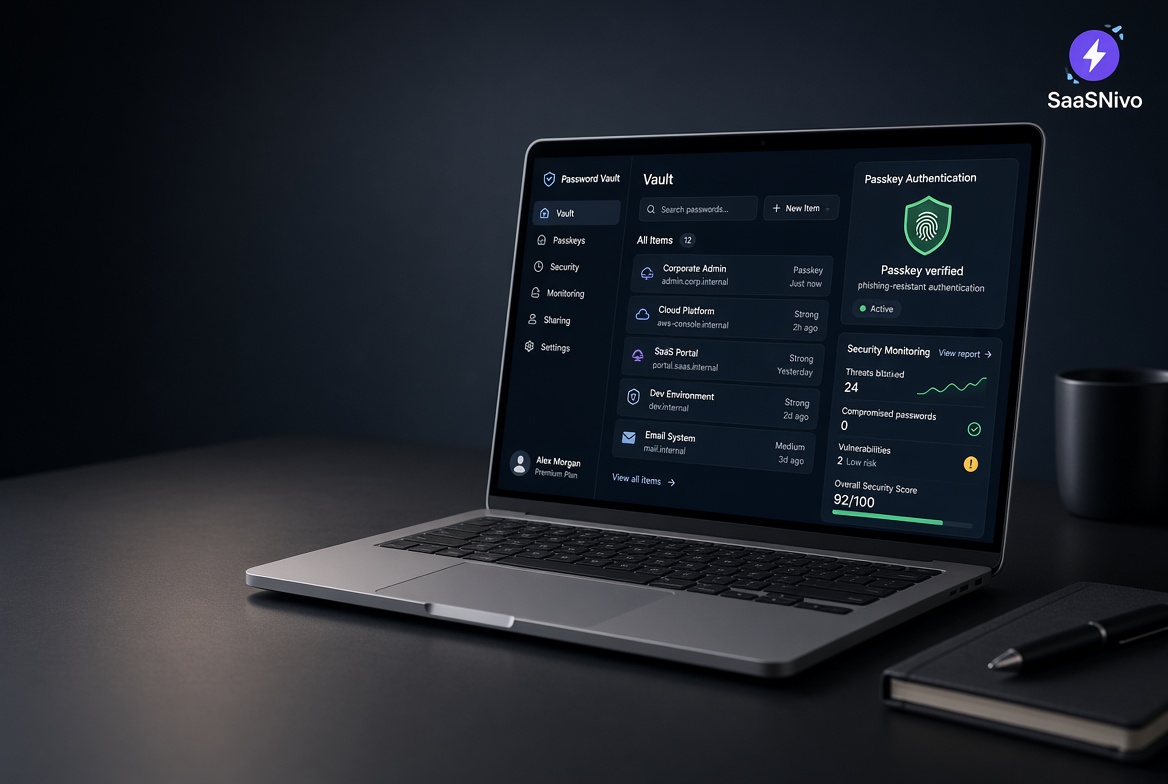
✧ Key takeaways
Is NordPass worth it in 2026? We look at its password manager, passkeys, breach monitoring, pricing, and how it compares with Bitwarden and 1Password.
How we evaluated
We evaluate NordPass on the things that matter in everyday password management: security, password storage, autofill, passkeys, syncing, Password Health, breach monitoring, ease of use, pricing, and overall value. We also compare it with popular alternatives to determine who NordPass is actually a good fit for.
Testing period: October 2026
Last tested: 2026-10-05
NordPass Review 2026: Is It Worth It?
Most people don't think about password security until something goes wrong.
A forgotten password. A reused login. An account locked after a suspicious sign-in. Or worse, finding out that an old password has appeared in a data breach.
That's where NordPass comes in.
NordPass is a password manager designed to keep your passwords, passkeys, payment details, and other sensitive information in one secure place. It also helps you create stronger passwords, fill them in automatically, and keep an eye on potential security problems.
But is NordPass actually worth paying for?
For most people who want an easier way to manage their digital accounts, I'd say yes.
What You Actually Get With NordPass
NordPass isn't just a place to store passwords.
It can handle much of the repetitive work that comes with managing dozens—or even hundreds—of online accounts.
You can use it to:
Store passwords securely
Generate strong, unique passwords
Automatically fill login information
Store credit cards and secure notes
Sync your information across supported devices
Manage passkeys
Check the strength of your saved passwords
Monitor for exposed information
The biggest benefit is simple: you don't have to remember everything yourself.
You remember one master password, and NordPass handles the rest.
Password Health Is One of Its Most Useful Features
Here's something many people don't realize until they check their accounts: old and reused passwords can quietly become a security problem.
NordPass's Password Health feature helps identify passwords that need attention.
You can see which credentials are weak, reused, old, or potentially exposed, giving you a practical list of accounts to fix.
Instead of wondering whether your passwords are secure, you can actually do something about them.
NordPass Pricing: Which Plan Makes Sense?
NordPass keeps the personal plans fairly simple. There are three choices: Free, Premium, and Family.
| Plan | Best for | Key features | My take |
|---|---|---|---|
| Free | Trying NordPass | Password storage, autosave, autofill, password generator | Good starting point |
| Premium | Individual users | Everything in Free + multiple-device access, Password Health, Data Breach Scanner, secure sharing, more security features | Best choice for most people |
| Family | Households | Premium features for up to 6 separate accounts | Best if several people need protection |
NordPass confirms that the Free plan is designed around essential password-management features, while Premium adds features such as Password Health, Data Breach Scanner, secure sharing, and simultaneous use across devices. Family provides Premium features for six accounts.
Which NordPass Plan Should You Buy?
Start with Free if you're simply curious about NordPass and want to see how the password manager fits into your routine.
Choose Premium if you're serious about password security. This is the plan I'd recommend to most individual users because the additional security features make NordPass much more useful day to day.
Choose Family if you're setting up password management for multiple people. You get six separate accounts, so everyone can manage their own private vault.
Passkeys Make NordPass More Future-Ready
Passwords are still everywhere, but passkeys are becoming increasingly common.
NordPass supports passkeys, giving you another way to sign in to compatible websites and services without relying on traditional passwords.
You won't suddenly stop using passwords everywhere. That's not how the internet works.
But having passkey support means your password manager is ready as more services adopt the technology.
Your Passwords Aren't the Only Thing You Can Store
NordPass can also store other sensitive information, including:
Credit and payment card details
Secure notes
Personal information
Login credentials
Passkeys
This is particularly convenient when you're regularly filling out forms or making online purchases.
Everything stays organized in one place instead of being scattered across browsers, notes, and devices.
Data Breach Scanner Adds Another Layer of Protection
One of the features I particularly like is Data Breach Scanner.
It can monitor supported information against known leaked data and alert you if your details appear in a breach.
That's useful because you can't control whether a company you use gets hacked.
What you can control is what you do afterward.
If NordPass alerts you that an account may have been exposed, you can change the password and secure the account before the problem gets worse.
Is NordPass Easy to Use?
Yes—and that's important.
A security product can have excellent technology behind it and still be frustrating if using it feels like work.
NordPass keeps the experience fairly straightforward.
You install it, import or create your credentials, and gradually let it take over password management.
The goal isn't to make you think about security every five minutes.
It's to make secure habits easier to follow automatically.
What About Multiple Devices?
This is another reason NordPass makes sense for everyday users.
Most people don't use just one device anymore.
You might have a laptop for work, a phone for everything else, and another device at home.
NordPass is designed to keep your stored information available across supported devices, so you're not constantly copying passwords between them.
That convenience becomes especially noticeable once you've been using it for a while.
Is NordPass Worth Paying For?
This is where I'd draw the line.
If you only have a handful of online accounts and don't mind managing passwords manually, you may not feel much benefit from a dedicated password manager.
But if you're managing dozens of accounts, reusing passwords, forgetting credentials, or regularly dealing with password resets, NordPass starts making a lot more sense.
You're not really paying for a database of passwords.
You're paying to make secure password management easier.
That's the real value.
Who Should Buy NordPass?
I'd seriously consider NordPass if you:
Have lots of online accounts
Reuse passwords across websites
Frequently forget passwords
Want stronger, unique passwords
Want to start using passkeys
Use multiple devices
Want alerts about potential data exposure
Prefer having sensitive information organized in one place
For families and businesses, the value can also increase because secure credential sharing and management become more important as more people need access.
Who Probably Doesn't Need It?
You probably don't need NordPass if you rarely use online accounts and already have a simple system that you consistently maintain securely.
But be honest with yourself here.
My NordPass Buying Decision
I'd recommend NordPass for someone who wants to stop treating password security as another chore.
The combination of secure password storage, autofill, password generation, passkeys, Password Health, and breach monitoring covers the problems most everyday users actually have.
And you don't need to use every feature.
Start by moving your important passwords into NordPass, replace your weakest credentials, and let the service handle the repetitive work from there.
That's where the product starts paying for itself.
So, Is NordPass Worth It in 2026?
Yes—if you want an easier and more organized way to protect your online accounts.
NordPass isn't something you buy because you want another app on your phone.
You buy it because remembering dozens of passwords, creating secure credentials, and keeping track of potential breaches is something you'd rather not manage manually.
For that job, NordPass makes a lot of sense.
[See NordPass Plans & Current Deal ]
-------
SaaSNivo may earn a commission if you purchase NordPass through our affiliate link, at no additional cost to you. Our recommendations are based on the product's features, value, and suitability for different users.
Featured in this article
NordPass
FreemiumNordPass is a secure password and passkey manager that helps individuals, families, and businesses store, organize, generate, autofill, and securely share passwords and sensitive information across devices, with features such as breach monitoring, password health checks, and zero-knowledge encryption.